P-CAD 在线查看器 — 以 3D 打开 ACCEL_ASCII .pcb 文件
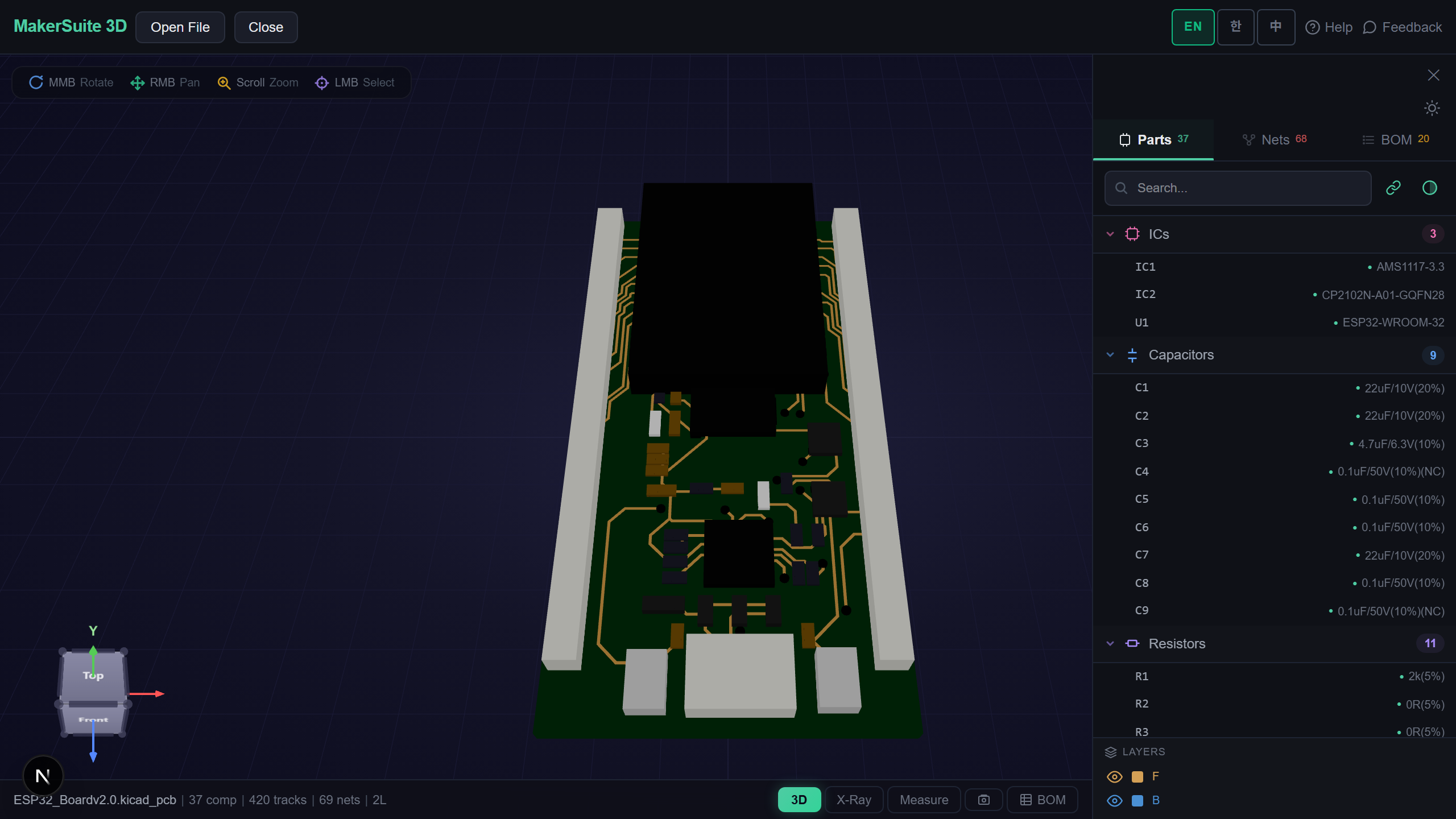
P-CAD 已停产,你的电路板还在
P-CAD 于 2006 年停产,查看旧设计因此变得意外困难。MakerSuite 3D 直接解析 P-CAD ACCEL_ASCII .pcb:库区段(焊盘/过孔样式、封装)、网表和 pcbDesign 布局在浏览器中渲染为可交互的 3D 电路板。
如何在线查看 P-CAD 电路板
- Open MakerSuite 3D — 无需登录或安装
- 若文件为二进制,请在 P-CAD(File → Save As → ACCEL ASCII)或 Altium 的 P-CAD 导入器中导出 ASCII
- 将 .pcb 文件拖入上传区
- 检查网络、测量距离、导出带实时供应商价格的 BOM
Open your P-CAD board in 3D - free.
免费试用 MakerSuite 3DP-CAD 解析器读取的内容
- 焊盘与过孔样式 — 孔径、逐层形状(Ellipse、Rect、RndRect)及真实尺寸
- 封装 — patternDef 与 patternDefExtended 双格式,含旋转与 isFlipped 镜像放置
- 网络 — node 列表直接映射到焊盘,点击即高亮连接
- 铺铜 — copperPour95 多边形岛在对应信号层渲染
同时支持其他 7 种 PCB 格式
KiCad、Gerber、Eagle、EasyEDA、Altium、PADS ASCII 与 Protel 99 SE 在同一标签页打开 — 一个查看器搞定整个档案架。
关于 ACCEL_ASCII 格式
ACCEL EDA(后来的 P-CAD)使用括号式、类 s-expression 的文本格式,规则得令人愉快:每个值都有名字,单位在头部声明,坐标遵循简单的笛卡尔约定。
正因这种规则性,KiCad 自带 P-CAD 导入器,本查看器也复用了 KiCad 电路板的分词器来解析。若之后迁移,KiCad 的 File → Import → Non-KiCad Board 接受同样的文件。
常见问题
P-CAD was discontinued - can I still open my boards?
Yes. ACCEL_ASCII .pcb files parse directly in the browser. For binary P-CAD files, export ASCII once from P-CAD or via the Altium P-CAD importer.
What parts of the file are read?
Pad and via styles with real sizes, patternDef and patternDefExtended footprints, net lists mapped onto pads, per-layer tracks, and copperPour95 polygon islands.
Can I migrate these boards to a modern tool afterwards?
Yes - KiCad imports the same ACCEL_ASCII files via File > Import > Non-KiCad Board, so viewing here and migrating later work from the same export.
Is anything uploaded to a server?
No. Parsing is 100% client-side; the design never leaves your machine.
相关文章
免费以 3D 打开你的 P-CAD 档案。
打开 MakerSuite 3D