BOM 관리 기능이 있는 PCB 뷰어 — 3D 보드 + 부품 가격 비교
왜 BOM 관리가 PCB 뷰어 안에 있어야 하는가
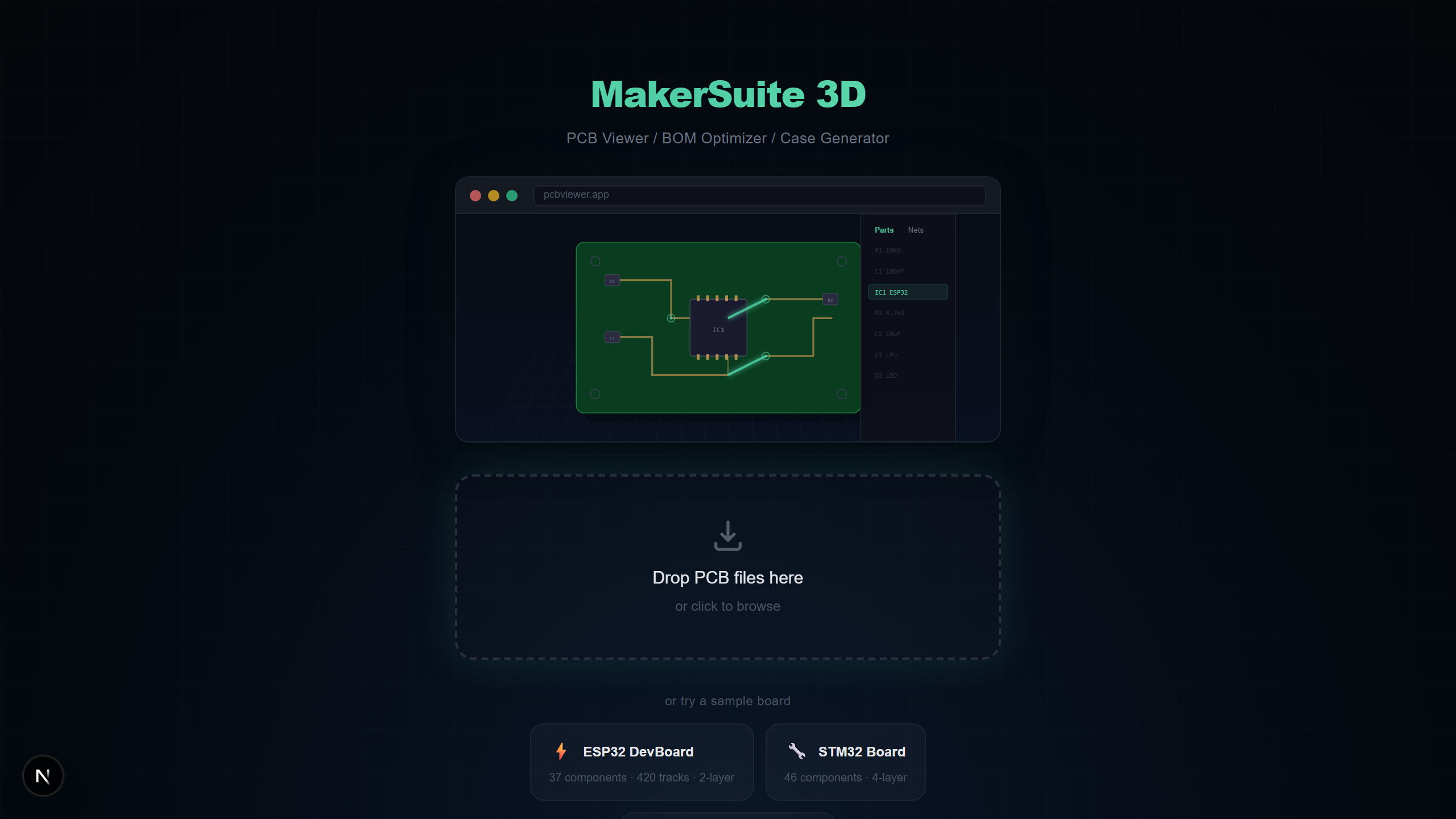
전통적으로 PCB 뷰어와 BOM 관리는 별개의 워크플로입니다. 뷰어에서 보드 레이아웃을 확인하고, 스프레드시트에서 BOM을 관리하고, 서플라이어 웹사이트에서 수동으로 가격을 검색합니다. MakerSuite 3D는 BOM 추출, 서플라이어 검색, 3D 시각화를 하나의 브라우저 탭에 통합하여 이 컨텍스트 전환을 없앱니다. BOM 행에 마우스를 올리면 해당 부품이 3D에서 하이라이트됩니다.
통합 BOM + 3D가 중요한 이유
BOM 관리와 3D PCB 시각화를 결합하면 어느 도구 단독으로는 해결할 수 없는 문제를 해결합니다:
- 시각적 부품 검증 — BOM 행에 마우스를 올리면 3D에서 부품이 즉시 하이라이트되어 올바른 위치의 올바른 부품인지 확인
- 풋프린트-가격 매핑 — 3D에서 부품의 물리적 크기를 보면서 동일 풋프린트에 더 저렴한 대안이 있는지 확인
- 누락 부품 감지 — 레이아웃에는 있지만 BOM에 없는 부품이나, 그 반대의 경우를 발견
- 조립 비용 추정 — 어떤 부품 카테고리가 예산을 가장 많이 차지하는지 파이 차트로 전체 프로젝트 비용 내역 확인
BOM 추출 작동 방식
MakerSuite 3D는 파싱 중에 PCB 파일에서 BOM 데이터를 자동 추출합니다. 전체 워크플로:
- pcbviewer.app에 PCB 파일을 업로드합니다 (PCB 9개 포맷 모두 지원)
- 파서가 레퍼런스 디자인에이터(R1, C5, U3), 값(10k, 100nF, STM32F4), 풋프린트(0603, LQFP-64)와 함께 모든 부품을 추출
- BOM 패널을 열면 — 부품이 값과 풋프린트별로 자동 그룹화되어 수량 카운트 표시
- BOM 행의 검색 버튼을 클릭하면 LCSC, DigiKey, Mouser에 동시 쿼리하여 가격과 재고를 검색
- 결과가 가격, 재고 수준, 데이터시트 링크, 썸네일 이미지와 함께 인라인으로 표시됩니다. 최저가 옵션은 초록색 배지로 표시.
지원 서플라이어
MakerSuite 3D는 예산형과 프리미엄 공급망을 모두 커버하는 3개 주요 전자 부품 유통사를 검색합니다:
- LCSC / JLCPCB — JLCPCB SMT 조립에 최저가. 방대한 SMD 부품 카탈로그와 LCSC 부품번호. 저비용 프로토타이핑에 이상적.
- DigiKey — 상세 스펙, 파라메트릭 검색, PDF 데이터시트가 포함된 프리미엄 셀렉션. 긴급 주문에 빠른 배송.
- Mouser — 제조사 직거래 가격과 폭넓은 재고. 생산 수량과 구하기 어려운 부품에 적합.
직접 해보고 싶으신가요? PCB 파일을 업로드해 보세요.
MakerSuite 3D 무료로 써보기크로스 서플라이어 MPN 매칭
MakerSuite 3D BOM 시스템의 가장 강력한 기능 중 하나는 크로스 서플라이어 매칭입니다. LCSC가 TPS63020DSJR 같은 제조사 부품번호(MPN)와 함께 결과를 반환하면, MakerSuite 3D가 자동으로 DigiKey와 Mouser에서 해당 MPN을 검색합니다. 이 패시브 전파는 모든 벤더에서 동일한 부품을 비교하도록 보장합니다.
BOM 패널 기능
- 자동 그룹화 — 동일한 값과 풋프린트의 부품이 수량 카운트와 함께 하나의 BOM 행으로 그룹화
- 3D 호버 하이라이트 — BOM 행에 마우스를 올리면 해당 부품이 3D 뷰에서 발광 — 보드에서 즉시 모든 부품 위치 파악
- 비용 파이 차트 — 부품 카테고리(IC, 커패시터, 저항, 커넥터 등)별 프로젝트 비용 시각적 분석
- 재고 알림 — 3개 서플라이어의 실시간 재고 수준. 주문 전 품절 부품 발견.
- 데이터시트 링크 — DigiKey와 Mouser 결과에서 제조사 PDF 데이터시트 직접 링크
- BOM Diff — 두 버전의 BOM을 비교하여 설계 리비전 간 추가, 제거, 변경된 부품 확인
BOM 내보내기 옵션
BOM을 스프레드시트 가져오기용 일반 CSV 또는 색상 코딩된 서플라이어 가격, 재고, 최적 구매 추천(초록색 체크마크), 클릭 가능한 데이터시트 하이퍼링크가 포함된 스타일링된 XLSX로 내보낼 수 있습니다. XLSX 포맷에는 서식 헤더, 열 너비, 조건부 서식이 포함됩니다.
BOM + 3D 통합이 도움이 되는 사람
- PCB 설계 확정 전 프로토타입 비용을 추정하는 하드웨어 스타트업
- LCSC, DigiKey, Mouser에서 최적화된 서플라이어 선택으로 구매 주문서를 작성하는 구매 엔지니어
- 3D 보드 시각화와 함께 완전한 BOM 비용 보고서를 고객에게 전달하는 프리랜서 PCB 설계자
- 조립 시작 전 BOM 데이터가 물리적 보드 레이아웃과 일치하는지 확인하는 제조팀
자주 묻는 질문
What is a PCB BOM viewer?
A PCB BOM viewer extracts the Bill of Materials from your PCB design file and displays it alongside the 3D board view. MakerSuite 3D automatically groups components by value and footprint, and lets you hover over BOM rows to highlight the corresponding components in 3D.
Can I search component prices from the BOM viewer?
Yes. MakerSuite 3D searches LCSC, DigiKey, and Mouser simultaneously for every component in your BOM. Results include real-time pricing, stock availability, datasheet links, and manufacturer part numbers.
What is cross-supplier matching?
When one supplier returns a manufacturer part number (MPN) for a component, MakerSuite 3D automatically queries the other two suppliers with that exact MPN. This ensures you compare identical parts across all vendors for accurate price comparison.
Can I export the BOM with supplier pricing?
Yes. You can export your BOM as CSV or styled XLSX. The XLSX export includes color-coded pricing from all three suppliers, stock levels, datasheet links, and a green checkmark indicating the optimal (cheapest) source for each component.
Which PCB formats support BOM extraction?
All 9 PCB formats supported by MakerSuite 3D extract BOM data: KiCad (.kicad_pcb), Gerber (with .csv BOM), Eagle (.brd), EasyEDA (.json), Altium (.PcbDoc), PADS (binary or ASCII .pcb/.asc), P-CAD and Protel 99 ASCII (.pcb), and Cadence Allegro (.brd). Components are automatically extracted with reference designators, values, and footprints.
관련 글
통합 BOM 관리로 PCB를 확인하세요
MakerSuite 3D 열기