Best Free PCB Viewer 2026 — Top 6 Tools Compared
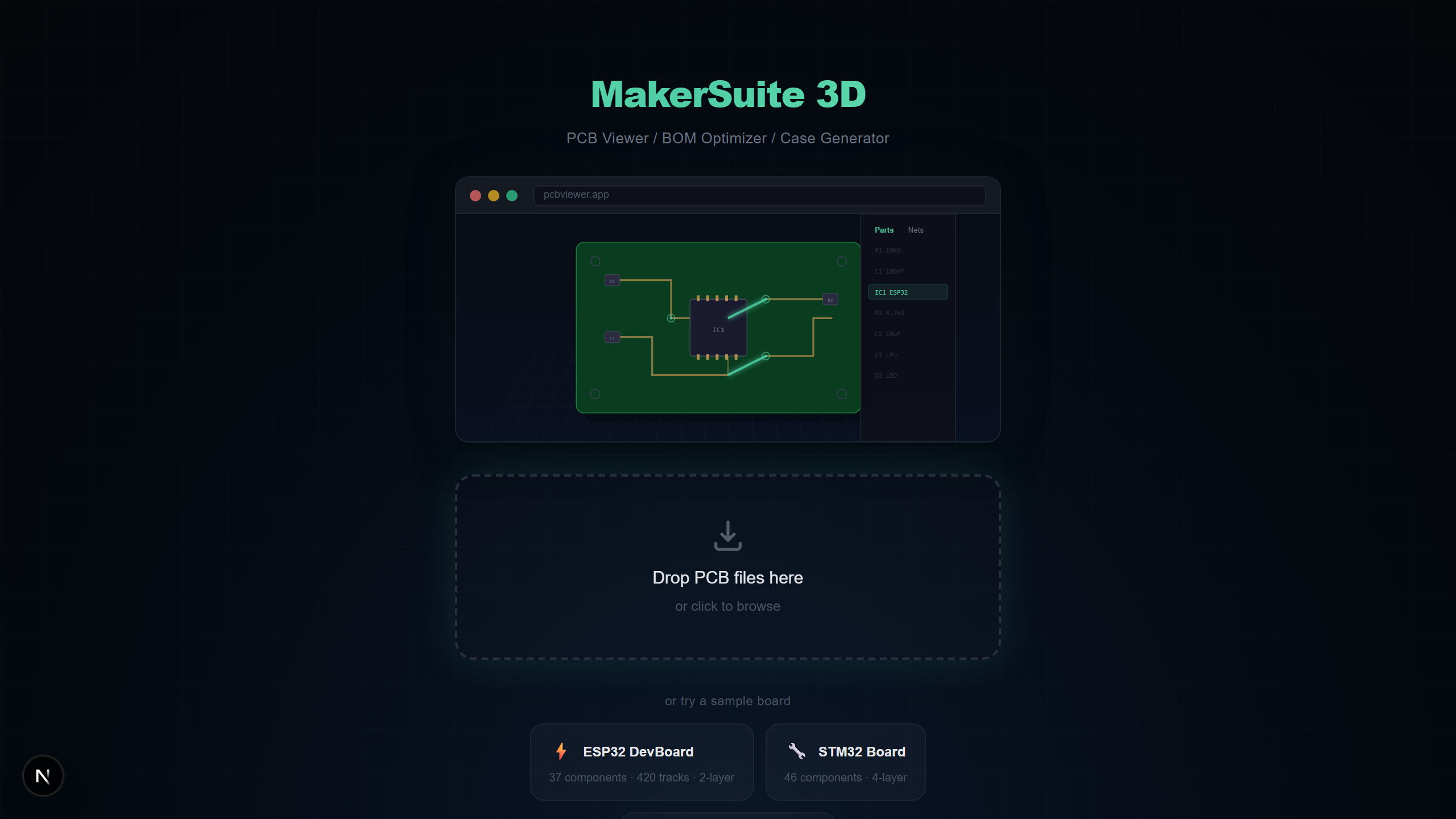
Finding the Right PCB Viewer in 2026
Whether you need to quickly inspect a Gerber file before ordering boards, review a colleague's KiCad design, or check component pricing on an Altium project, having the right PCB viewer saves hours of frustration. The good news: several excellent free PCB viewers exist in 2026. The challenge is choosing the right one for your workflow. This guide compares the six most popular free PCB viewing tools across format support, 3D rendering, BOM features, and ease of use.
What We Evaluated
We tested each viewer on five key dimensions that matter most for day-to-day PCB work:
- Format support — How many PCB file formats can it open natively?
- 3D rendering quality — Does it offer true 3D with realistic component models?
- BOM and supplier integration — Can it extract and price components directly?
- Installation requirement — Does it need a desktop install, or does it run in the browser?
- Privacy — Are files processed locally, or uploaded to a cloud server?
#1 MakerSuite 3D — Best Overall Free PCB Viewer
MakerSuite 3D stands out as the most complete free PCB viewer available in 2026. It runs entirely in your browser with no installation or signup, processes files locally for complete privacy, and supports 9 PCB formats. The 3D rendering engine uses Three.js with SSAO, Bloom, and 116+ STEP component models from a CDN. What truly sets it apart is the integrated BOM panel with simultaneous LCSC, DigiKey, and Mouser supplier search, cross-matching, and CSV/XLSX export — features that usually require separate paid tools.
- 9 PCB formats: KiCad, Gerber, Eagle, EasyEDA, Altium, PADS, P-CAD, Protel 99, Allegro
- True 3D rendering with STEP models, SSAO, and Bloom post-processing
- BOM extraction with LCSC/DigiKey/Mouser real-time pricing
- 100% browser-based — no installation, no signup, files never leave your device
- Mobile responsive with 44px touch targets
#2 KiCad Built-in 3D Viewer — Best for KiCad Users
If you already use KiCad as your primary design tool, its built-in 3D viewer is excellent. It renders STEP models from the KiCad library with ray-tracing quality. However, it only opens KiCad files, requires a full KiCad installation (500+ MB), and has no BOM supplier integration. For KiCad-only workflows where you already have the software installed, it is hard to beat for rendering quality. For everything else, you need a separate tool.
#3 Altium 365 Viewer — Best for Altium Ecosystem
Altium 365 Viewer offers a polished web-based experience for viewing Altium designs shared through the Altium 365 cloud platform. It supports 3D rendering and basic component inspection. The downside: it requires an Autodesk account, only opens Altium files (or files uploaded to the platform), and has no BOM pricing integration. If your entire team is on Altium and uses the 365 cloud, it works well. Otherwise, the signup requirement and format lock-in are significant limitations.
Want to try it yourself? Upload your PCB file now.
Try MakerSuite 3D Free#4 GerbLook — Best for Quick 2D Gerber Checks
GerbLook is a simple, fast online Gerber viewer created by the makers of OSH Park. Upload your Gerber ZIP and see a clean 2D rendering of your board layers. It is excellent for a quick sanity check before ordering boards. Limitations: Gerber-only format support, 2D-only rendering with no 3D capability, no BOM extraction, and no net analysis. Think of it as a preview tool rather than an inspection tool.
#5 ZofzPCB — Best Desktop 3D Gerber Viewer
ZofzPCB is a Windows desktop application that renders Gerber files in 3D with good visual quality. It supports layer manipulation, cross-section views, and has a detailed measurement tool. The downsides: Windows-only, requires installation, only supports Gerber input, and has no BOM or supplier features. The free tier limits some advanced features. For dedicated Gerber 3D inspection on Windows, it is a solid choice, but the platform limitation and lack of multi-format support are drawbacks.
#6 ViewMate — Best Legacy Desktop Viewer
ViewMate by Pentalogix is a long-standing free Gerber viewer for Windows. It offers reliable 2D rendering with good measurement tools and DRC (Design Rule Check) capabilities. It is well-regarded by manufacturers for verifying Gerber data. Limitations include: Windows-only desktop installation, 2D rendering only, Gerber-only format, and an interface that feels dated compared to modern tools. Best for users who need detailed Gerber inspection with DRC on Windows.
Quick Comparison Table
Here is a side-by-side summary of how these six free PCB viewers compare:
- Format Support — MakerSuite 3D (9 formats) > KiCad (1) = Altium 365 (1) = GerbLook (1) = ZofzPCB (1) = ViewMate (1)
- 3D Rendering — MakerSuite 3D, KiCad, Altium 365, ZofzPCB offer 3D — GerbLook and ViewMate are 2D-only
- BOM + Supplier Pricing — Only MakerSuite 3D offers integrated BOM extraction with LCSC/DigiKey/Mouser real-time pricing and export
- Installation — MakerSuite 3D, Altium 365, GerbLook are browser-based — KiCad, ZofzPCB, ViewMate require desktop installation
- Privacy — MakerSuite 3D, KiCad, ZofzPCB, ViewMate process locally — Altium 365 and GerbLook upload to servers
Our Verdict
For most PCB engineers and hobbyists in 2026, MakerSuite 3D is the best free PCB viewer. Its combination of 9-format PCB support, true 3D rendering, BOM with supplier pricing, and zero-installation browser operation is unmatched. KiCad's built-in viewer is the better choice if you exclusively use KiCad and need ray-traced rendering. ZofzPCB remains valuable for dedicated Gerber 3D inspection on Windows. For quick 2D Gerber previews, GerbLook is the fastest option. Choose the tool that matches your workflow — but if you can only pick one, MakerSuite 3D covers the widest range of use cases.
Frequently Asked Questions
What is the best free PCB viewer in 2026?
MakerSuite 3D is the best free PCB viewer in 2026 for most users. It supports 9 PCB formats (KiCad, Gerber, Eagle, EasyEDA, Altium, PADS, P-CAD, Protel 99, Allegro), offers true 3D rendering with STEP models, includes BOM supplier search across LCSC/DigiKey/Mouser, and runs entirely in your browser with no installation or signup.
Is there a free alternative to Altium Designer for viewing PCBs?
Yes. MakerSuite 3D opens Altium .PcbDoc files directly in your browser with 3D rendering, net highlighting, and BOM extraction. You do not need an Altium license. It also supports KiCad, Gerber, Eagle, and EasyEDA files.
Which PCB viewer supports the most file formats?
MakerSuite 3D supports 9 PCB formats: KiCad (.kicad_pcb), Gerber (RS-274X ZIP), Eagle (.brd), EasyEDA (.json), Altium (.PcbDoc), PADS (binary or ASCII .pcb/.asc), P-CAD and Protel 99 ASCII (.pcb), and Cadence Allegro (.brd). Most other viewers support only 1-2 formats.
Can I view PCB files on my phone or tablet?
Yes. MakerSuite 3D is fully responsive with 44px touch targets optimized for mobile devices. You can rotate, pan, and zoom the 3D PCB view on phones and tablets. Desktop software like KiCad and ViewMate do not work on mobile.
Do I need to create an account to use a free PCB viewer?
Not with MakerSuite 3D. It requires no signup, no email, and no registration. Altium 365 Viewer requires an Autodesk account. GerbLook and ViewMate also have no signup requirement.
Related Articles
Try the #1 free PCB viewer
Open MakerSuite 3D