Free Online DXF Viewer — Open DXF Files Without AutoCAD
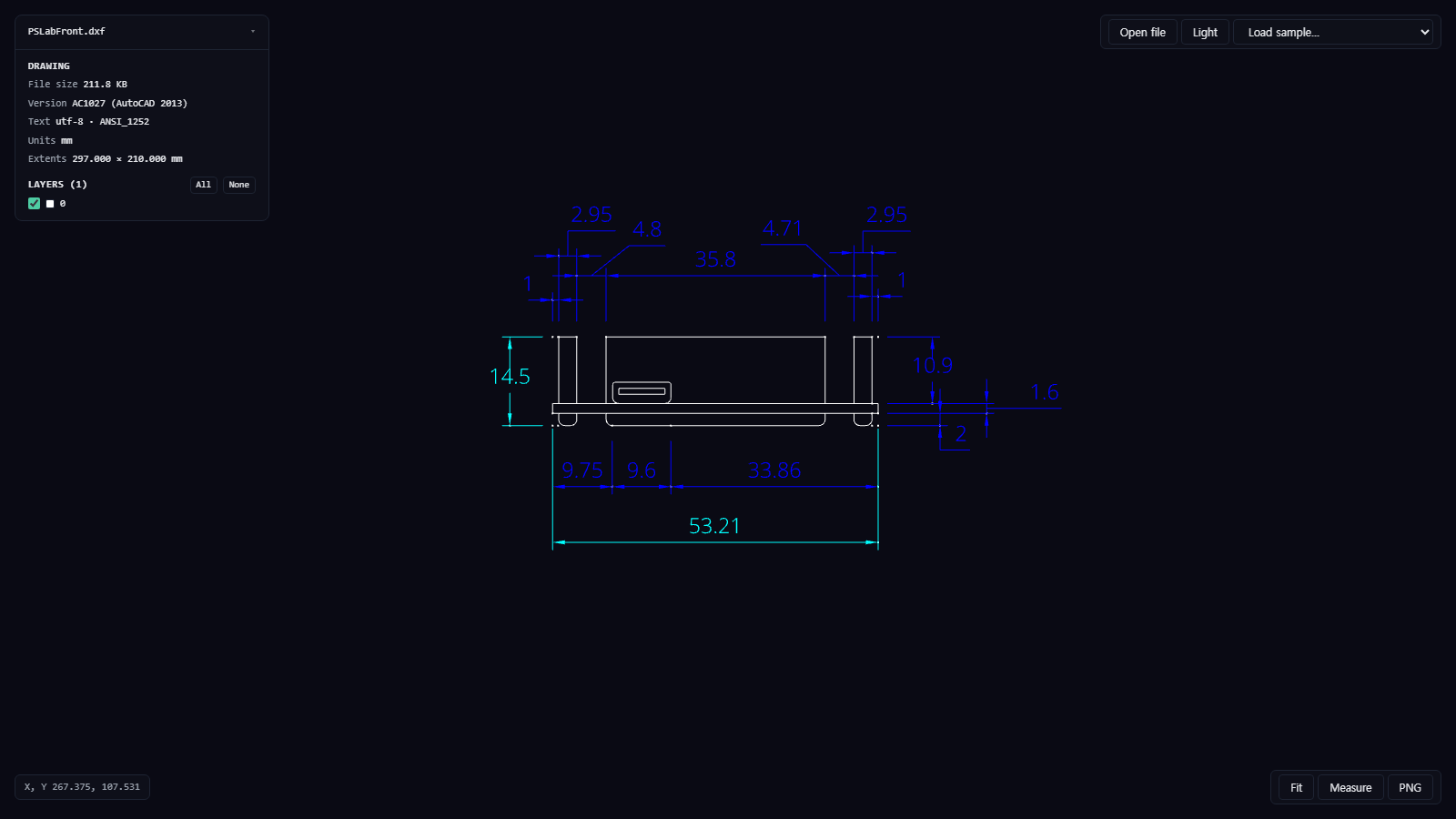
A DXF Drawing Without AutoCAD
DXF is how drawings travel between CAD programs: laser-cutting and CNC files, front-panel cut-outs, a board outline for an enclosure, a supplier's mechanical drawing. Most people who receive one don't own AutoCAD, and the free desktop viewers want an install and an account. MakerSuite 3D's DXF viewer opens the file in a browser tab — layers, dimensions and text included — and lets you measure it.
How to Open a DXF File Online
- Open the DXF Viewer — no login or installation needed
- Drag the .dxf onto the page, or pick it with Choose file — it is read inside your browser, nothing is uploaded
- Pan with the left or middle mouse button, zoom with the wheel, press F to fit the whole drawing, and switch layers on and off in the panel
- Press M (or Measure) and click two points — the cursor snaps to line ends, arc and circle centres and points, and shows the distance, ΔX, ΔY and angle in the drawing's units
Drop a DXF drawing and look at it now — free.
Try MakerSuite 3D FreeWhat the DXF Viewer Draws
- Geometry — lines, polylines, arcs, circles, ellipses, splines, points, solids, hatches and blocks, including blocks inside blocks
- Annotation — dimensions as the program drew them, TEXT and MTEXT, and leaders with their arrowheads
- Text in the common scripts — Latin, Greek, Cyrillic, Chinese, Japanese and Korean, including older DXF files saved in a code page (GBK, Big5, Shift-JIS, EUC-KR, Windows-125x) rather than UTF-8
- Layers and drawing facts — every layer with its colour, the DXF version, text encoding, units and the drawing's extents
Checked Against the Program's Own Output
Each test drawing was compared with a PDF, SVG or PNG the same program exported from it: an AutoCAD 2015 front-panel drawing against AutoCAD's own plot (every dimension value and the title block match), a SolidWorks 2014 drawing saved in the Chinese GBK code page against its SolidWorks PDF, QCAD figures — a leader, a hatch with islands, aligned, angular and diameter dimensions — against QCAD's exports, a KiCad board outline against KiCad's SVG plot, and a CadZinho sheet of multilingual text against its PDF.
What It Does Not Show Yet
Paper space layouts: the viewer shows the model space, where the drawing itself lives, and says so when the file also has layouts with their own content. SHX font shapes are drawn with Noto Sans instead, every line type is drawn solid, and line weights are drawn thin. Entities it does not draw yet — multileaders, images, 3D solids — are listed by name and count in the panel instead of silently disappearing.
DWG and binary DXF do not open. DWG is AutoCAD's native format: save a DXF from the program that has the drawing (AutoCAD: File → Save As → AutoCAD DXF; DraftSight, BricsCAD, LibreCAD and FreeCAD can do the same). A binary DXF can be saved again as ASCII DXF the same way.
Frequently Asked Questions
Can I open a DWG file?
No. DWG is AutoCAD's native format and does not open here. Save a DXF from the program that has the drawing (AutoCAD: File > Save As > AutoCAD DXF; DraftSight, BricsCAD, LibreCAD and FreeCAD can do the same) and open that.
Is my drawing uploaded anywhere?
No. The file is read and drawn inside your browser tab. Only the fonts for the characters the drawing uses are downloaded from this site.
Which DXF versions open?
ASCII DXF from R12 (AC1009) up to the AutoCAD 2018 format (AC1032), which AutoCAD still writes today, plus the minimal R12-style files that KiCad and many laser and CNC tools write. Binary DXF does not open yet: save it again as ASCII DXF.
Why do some characters show as boxes or question marks?
The viewer draws text with Noto Sans in place of the drawing's SHX or TrueType fonts. It covers Latin, Greek, Cyrillic, Chinese, Japanese and Korean; scripts that need text shaping (Arabic, Hebrew, Indic) are not drawn yet, and the panel says so when a drawing has them.
Related Articles
Drop a DXF drawing and look at it now — free.
Open the DXF Viewer