Free Online PADS PCB Viewer — Open .asc / .pcb Files in 3D
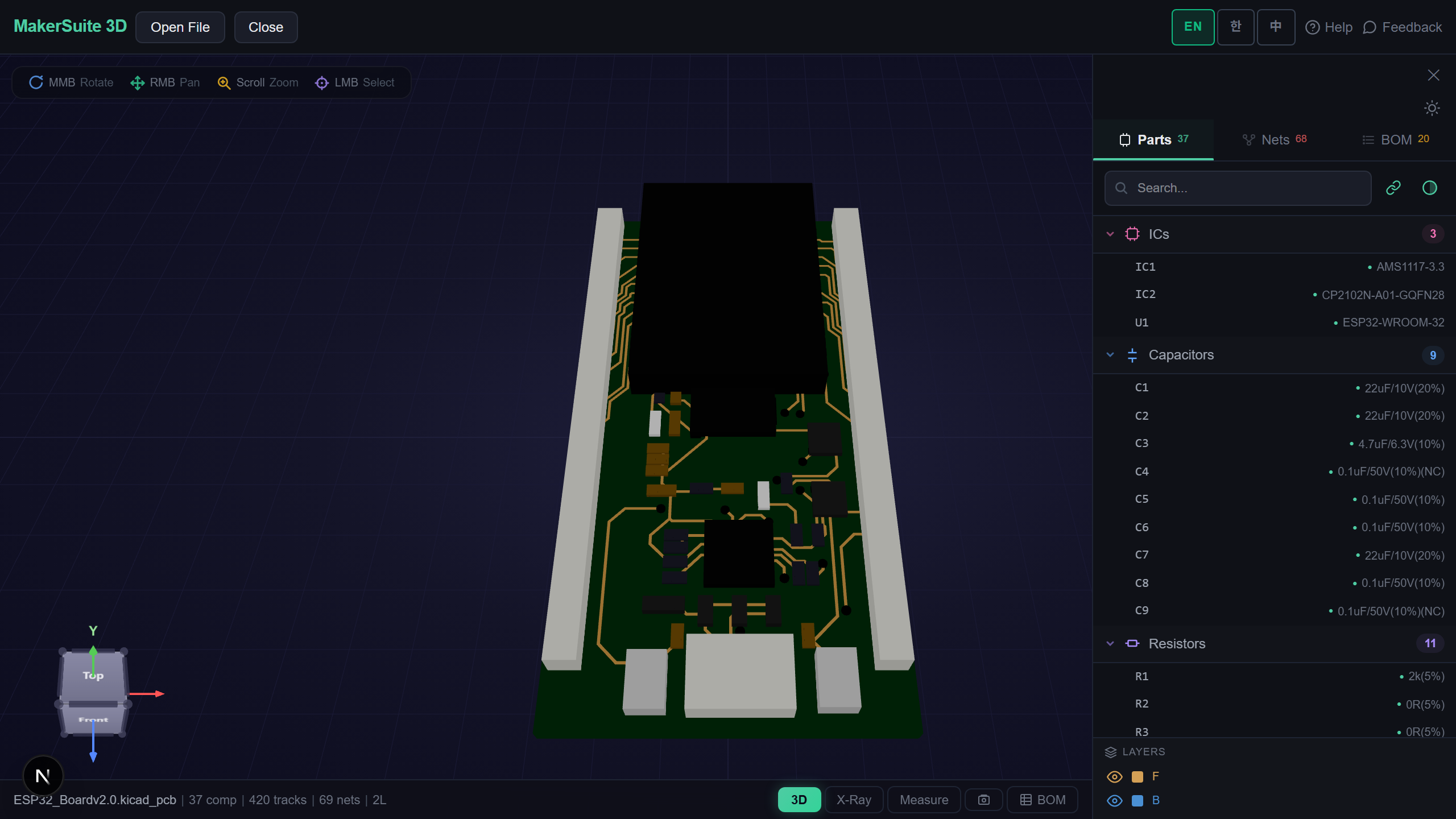
View PADS Layout Boards Without PADS
PADS Layout (Mentor / Siemens) saves boards as binary .pcb files, but every PADS install can export the fully documented ASCII format. MakerSuite 3D parses that ASCII export natively in your browser — sections like PARTDECAL, PART, ROUTE, VIA, and POUR become a full 3D board with parts, traces, vias, and copper pours. No PADS license, no upload to a server.
How to View a PADS Board Online
- Open MakerSuite 3D — no login or installation needed
- If you have the binary .pcb: in PADS Layout use File → Export → ASCII and keep all sections checked
- Drag the exported .asc (or ASCII .pcb) onto the drop zone
- Explore the board in 3D — net highlighting, X-Ray, measurement, and BOM with live LCSC/DigiKey/Mouser pricing
View your PADS board in 3D - no PADS license needed.
Try MakerSuite 3D FreeWhat the PADS Parser Reads
- Part decals — terminals, pad stacks (top/inner/bottom), drilled vs SMD pads, decal outlines as silkscreen
- Routes — per-signal segments with layer changes, via names resolved to real drill/pad sizes
- Copper — POUR outlines and component-level copper (thermal rings, exposed pads)
- Units — MILS, MM, INCH, and PADS BASIC database units (2/3 nm) are all handled automatically
Also Supports 7 More PCB Formats
The same viewer opens KiCad, Gerber, Eagle, EasyEDA, Altium, P-CAD ACCEL_ASCII, and Protel 99 SE ASCII files — handy when a project mixes tools.
Why ASCII Export Is the Right Bridge
The PADS binary database format is proprietary and undocumented, but the ASCII format has an official Mentor specification that has stayed stable for decades. Exporting ASCII loses nothing you need for review: geometry, connectivity, pours, and decals all survive.
Because parsing happens in your browser, the design never leaves your machine — a practical way to share a quick review link with teammates who do not have PADS seats.
Frequently Asked Questions
Do I need PADS Layout installed to view a board?
No. MakerSuite 3D parses the PADS ASCII format directly in your browser. If your file is the binary .pcb, export ASCII once from any PADS install (File > Export > ASCII) and it opens here.
Which PADS units are supported?
MILS, MM, INCH, and the BASIC database units (2/3 nanometer) declared in the file header are all detected automatically.
Does it read routes and copper pours?
Yes. Per-signal route segments with layer changes, named vias with real drill sizes, POUR outlines, and component-level copper such as thermal pads all render in 3D.
Is my design uploaded to a server?
No. Parsing happens entirely in your browser - the file never leaves your machine.
Related Articles
Open your PADS board in 3D right now — free.
Open MakerSuite 3D